![PLAYIT_RGB_wit.png]](https://support.playit.training/hs-fs/hubfs/PLAYIT_RGB_wit.png?height=40&name=PLAYIT_RGB_wit.png)
- For every asset in the 'File Explorer' you can add localized assets. These assets will change depending on the selected language of the player
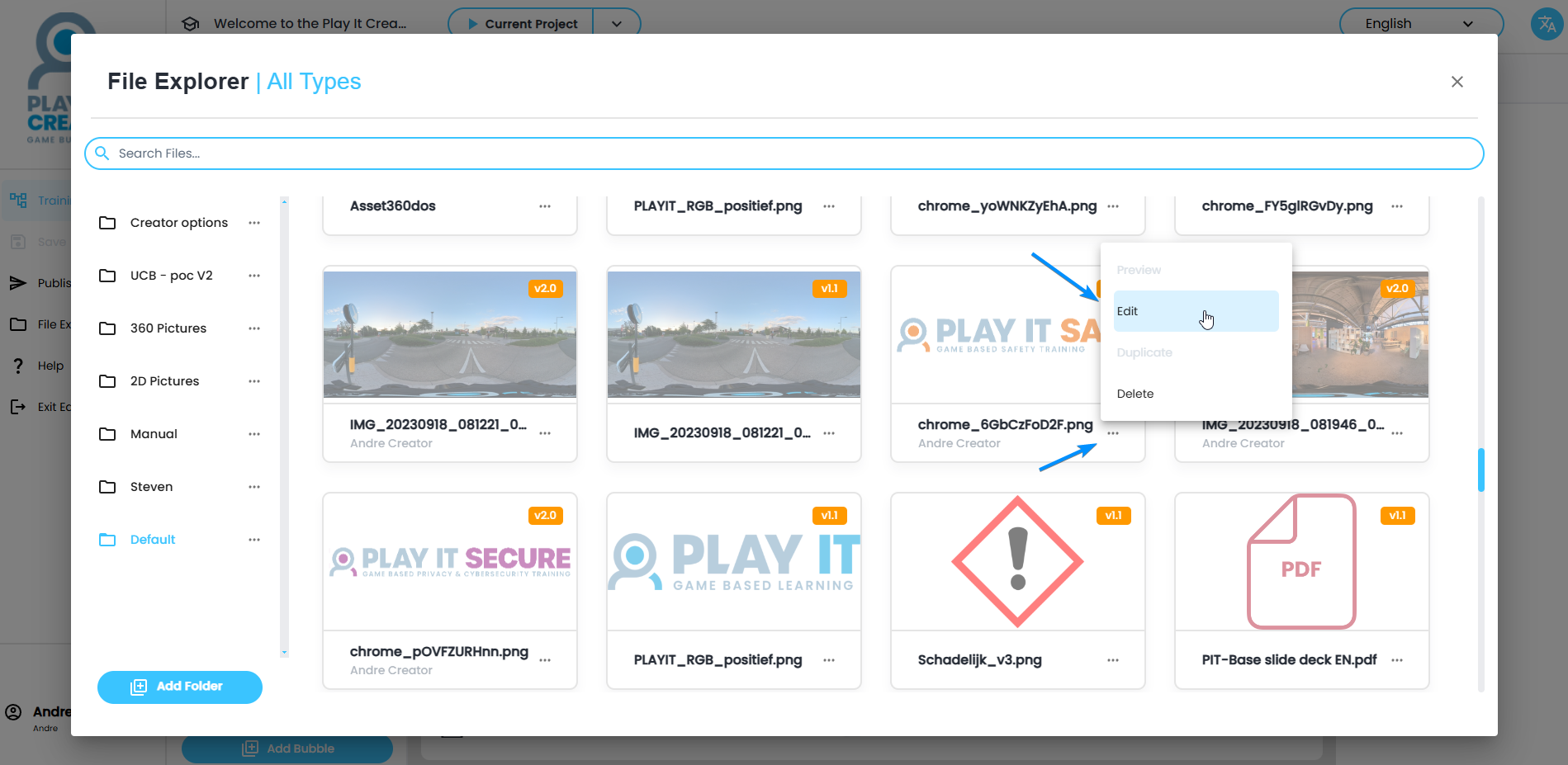
- On the asset, click on the three dots and click on 'Edit'
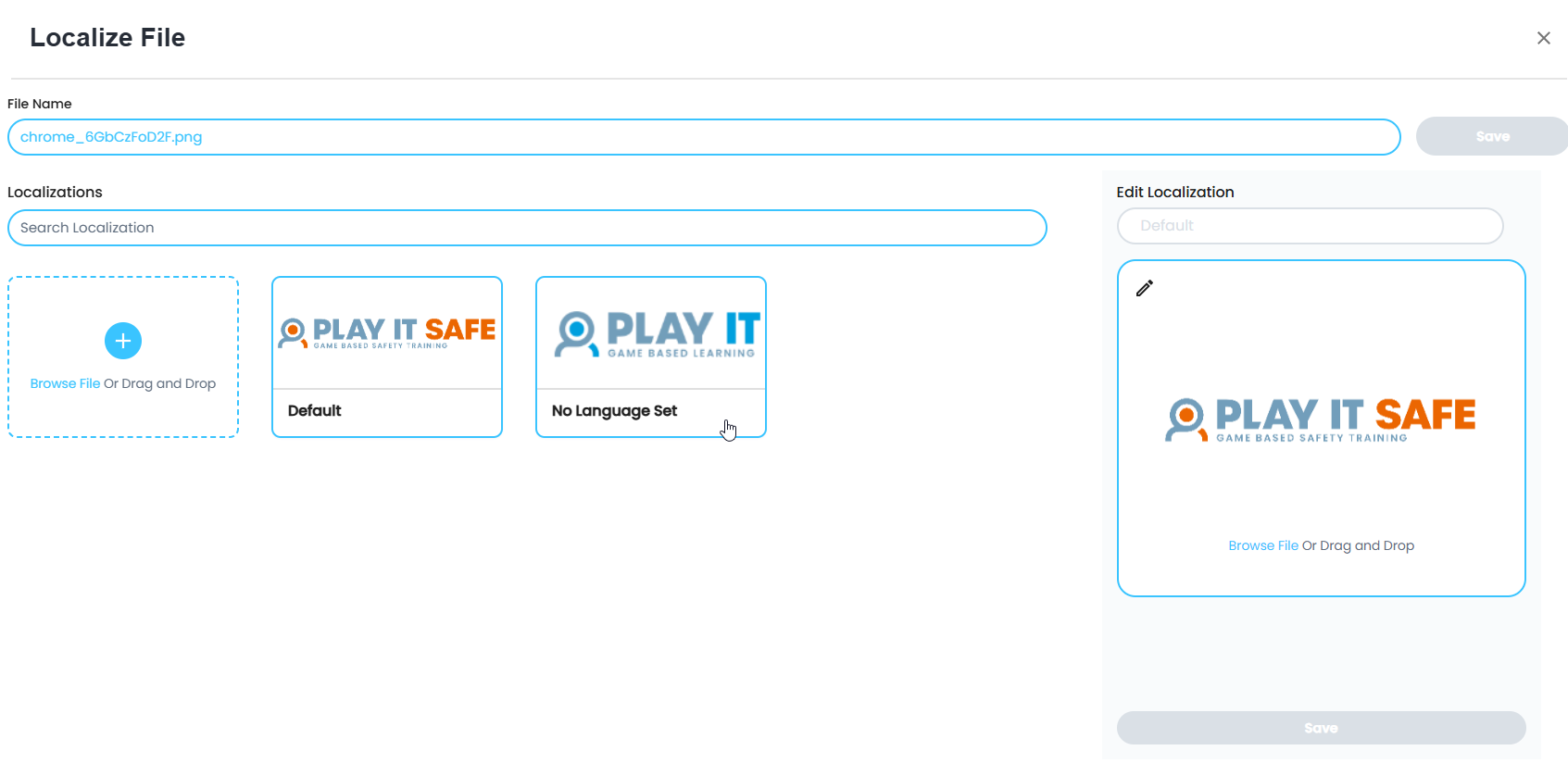
- In 'Localize File', you can upload several versions of the assets. Once uploaded you'll see the default picture and the second version where no language has been set yet
- To change the language of the newly added version of the asset, click on it and set the language on the right using the 'Edit Localization' dropdown
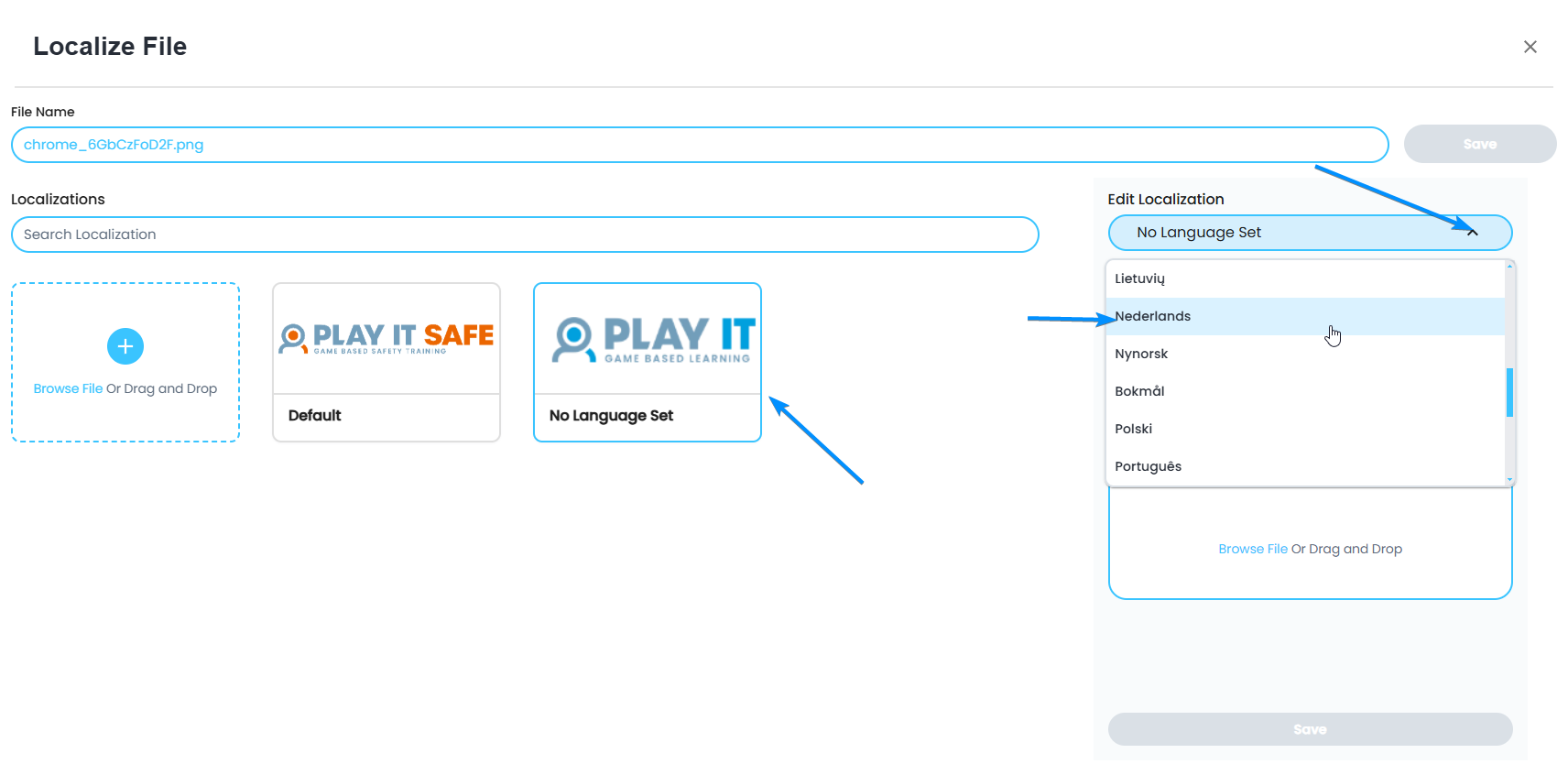
- Click on 'Save' to set 'Nederlands' as the localization language for this version of the asset
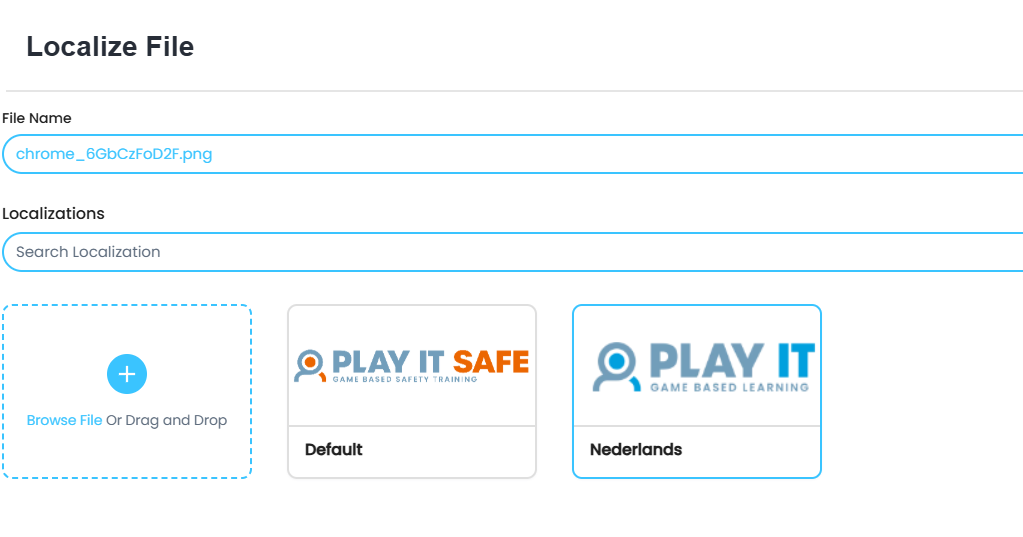
- 'Nederlands' has now been added, next to the default version of the asset. If you want to add more languages for this asset, repeat the procedure