![PLAYIT_RGB_wit.png]](https://support.playit.training/hs-fs/hubfs/PLAYIT_RGB_wit.png?height=40&name=PLAYIT_RGB_wit.png)
To change multiple users at once we have the import new users option available within the 'Users' page.
By using an Excel file you can easily update all your users at once.
The first step to update the users, is to update the Excel file you used to import all the users in the first place.

Once the Excel file is completed and saved, you can go back to the Play it portal and start the update process.
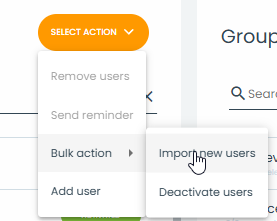
At the user page, you click on 'Select Action' and choose 'Import new users'.
As we want to update the users, make sure to select 'update'
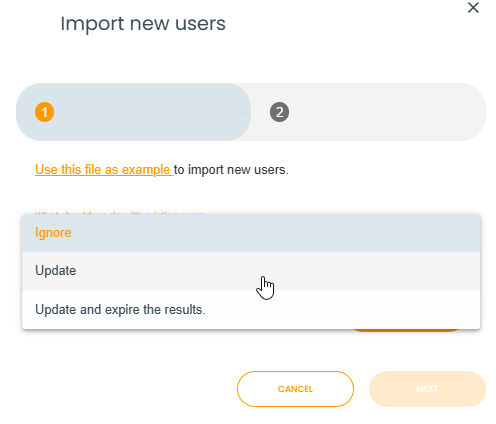
Click on 'Upload list of users' at the Import new users pop-up.
Select the saved Excel file and then "Next".
Our system will now validate the import file.
When the Excel file got validated, you get a summary of how many users the system will update.
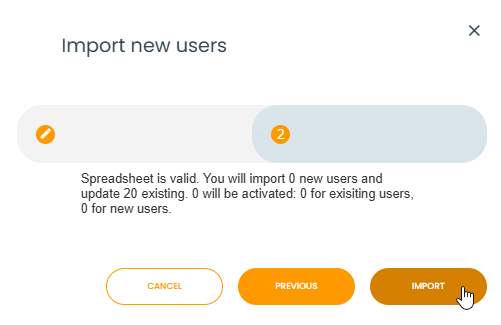
Confirm by selecting "Import"
You will receive an email once the import is completed.