![PLAYIT_RGB_wit.png]](https://support.playit.training/hs-fs/hubfs/PLAYIT_RGB_wit.png?height=40&name=PLAYIT_RGB_wit.png)
If your organization is working with SCORM to integrate the Play it learning paths in to your own LMS, you can follow these steps to create your SCORM package:
Go to the portal and open your 'Learning Paths' page
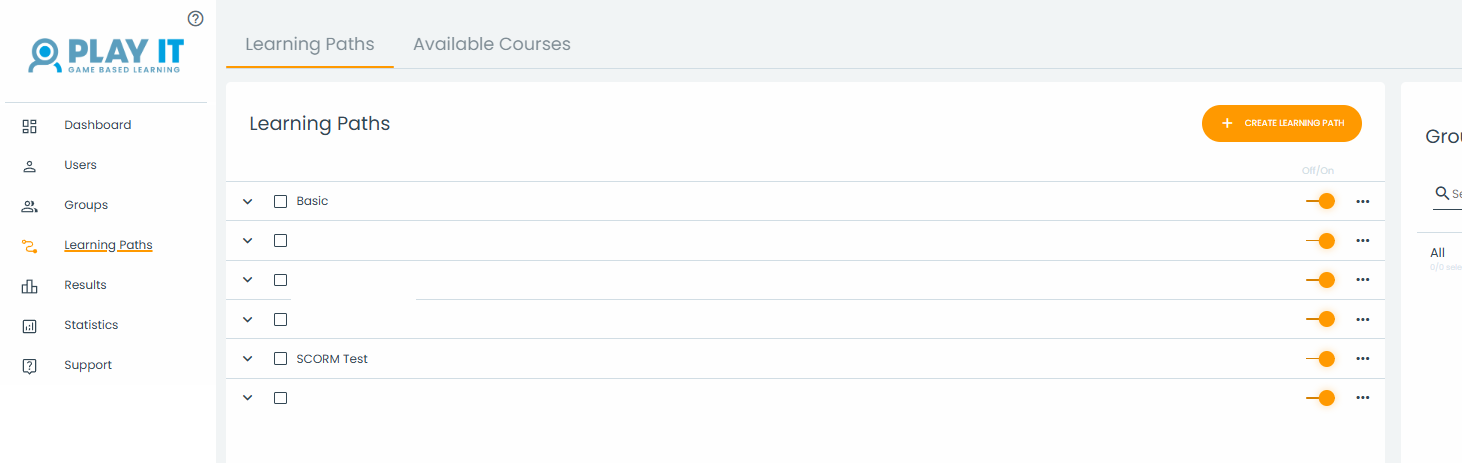
Now we'll make a SCORM package out of the learning path 'SCORM Test'
Click on the three dots next to the learning path name and click on the icon 'Generate SCORM'.
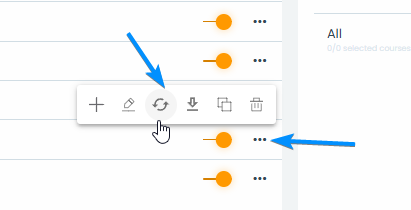
The SCORM package will now be generated. The orange progress bar will stop, once the package is ready for download.

Click on the three dots and now choose 'Download SCORM'.
You can now import the downloaded ZIP file into your LMS.
If you encounter any issues, you can contact support@playit.training.