![PLAYIT_RGB_wit.png]](https://support.playit.training/hs-fs/hubfs/PLAYIT_RGB_wit.png?height=40&name=PLAYIT_RGB_wit.png)
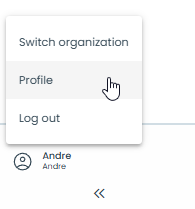
When you click on your name and organization in the bottom left corner, you will be presented with a menu.
This menu gives you access to your profile settings.
In addition to your personal information, you will also find a tab with company Information.

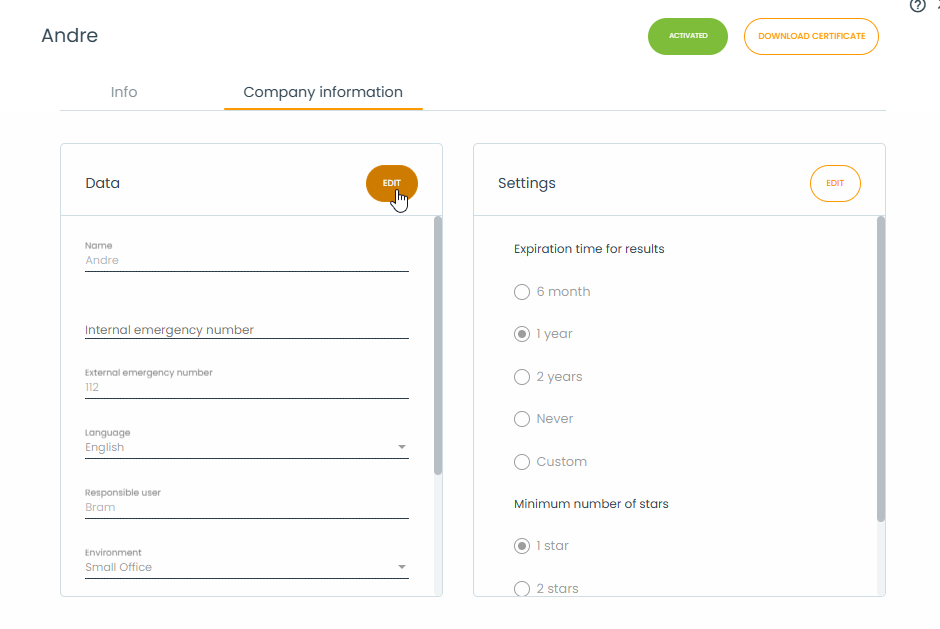
General settings for the company can be saved and changed here.
You'll find two columns within the company information.
In the 'Data' column you see info such as the name, logo, default language (for the portal), as well as the internal and external emergency number to be used during the training and the standard environment in which the training is played.
In the 'Settings' column you have the 'Expiration time' and thee 'Minimum number of stars' settings.
You can change each column separately by clicking on the 'Edit' button.