![PLAYIT_RGB_wit.png]](https://support.playit.training/hs-fs/hubfs/PLAYIT_RGB_wit.png?height=40&name=PLAYIT_RGB_wit.png)
You can remove one or more users by selecting them.
When you have selected all the users you want to delete, you can click on the 'Select action' button and choose 'Remove Users'.
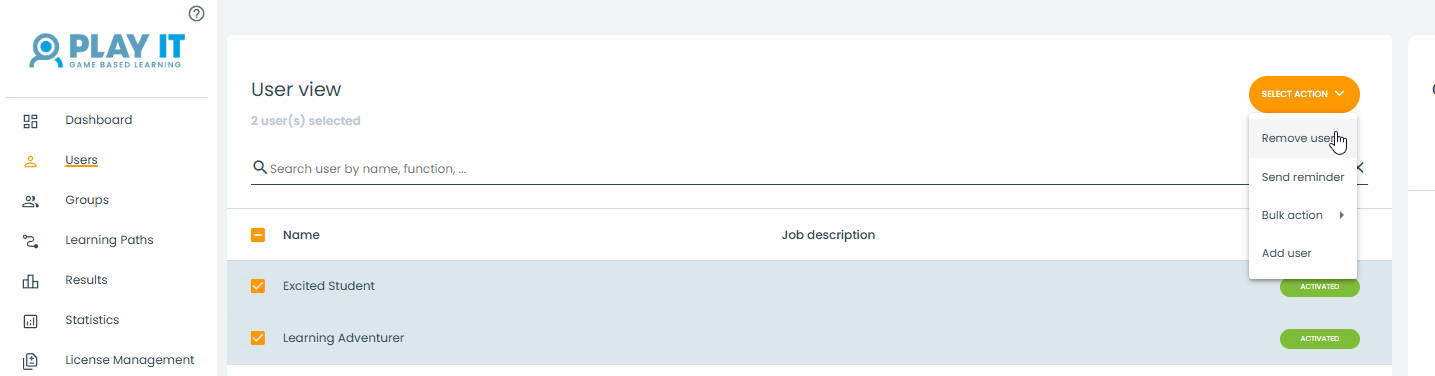
You will then be notified to confirm that you want to delete the selected users.
Once you click on 'Remove', the deletion is final and therefore cannot be undone!
So pay attention and make sure that the number of selected students is correct!